Today, we're going to review the new Studio Max 2 wireless DJ headphones from OneOdio. We'll tell you all about their unique features and sound quality, and we'll also provide a brief comparison with the previous model, the Studio Max 1, as well as the AlphaTheta HDJ-F10, which we've already reviewed separately. Despite the “Studio” in the name, these headphones are marketed as DJ headphones. They were developed in collaboration with and tuned by the renowned DJ KSHMR, who was ranked 23rd in DJ Mag’s Top 100 DJs in 2025. What are DJ headphones, and how do they differ from regular headphones? In this article, we’ll take a closer look and answer that question.
In short, the main difference lies in noise isolation: these headphones should block out as much ambient noise as possible and prevent sound from leaking outward – for example, so it doesn’t get picked up by a microphone + and a certain frequency range should be audible to the ear and tuned in such a way that it’s easy to mix tracks in a noisy environment (whether it’s a performance, an event, or a club). We don't believe the "DJ" category exists as a separate entity because any closed-back headphones with good noise isolation are DJ headphones. The OneOdio Studio Max 2 is the brand’s second model designed specifically for DJs. Before moving on to the main part of our OneOdio Studio Max 2 review, let's look at these headphones' specifications to get a more accurate and detailed picture of this remarkable device. As a preface, we will pay our respects by including a short paragraph about DJ KSHMR, who has had a huge influence on and made a tremendous contribution to EDM culture.
DJ KSHMR (Niles Hollowell-Dhar) is one of the most influential American DJs and producers in the electronic dance music (EDM) genre. He is known for creating epic festival anthems, pioneering sound design, and popularizing the use of samples among aspiring musicians worldwide. He has brought Eastern motifs, string instruments, and orchestral arrangements to dance music, giving his music a unique and instantly recognizable sound. The artist has released popular sample packs on the Splice platform. His drum sounds, claps, and synths have become the gold standard used by virtually all modern electronic music producers. Fun fact: SAINt JHN’s track "Roses (Imanbek Remix)" won the 2021 Grammy Award in part thanks to KSHMR’s samples used in the remix. So, how did the headphones tuned by KSHMR turn out? – It’s time to find out.
|
Best Price on OneOdio Studio Max 2
The OneOdio Studio Max 2 is an unusual pair of wireless headphones aimed primarily at DJs, music producers, musicians, and content creators rather than everyday listeners. 15% Off Discount Code: SOUNDGALE |
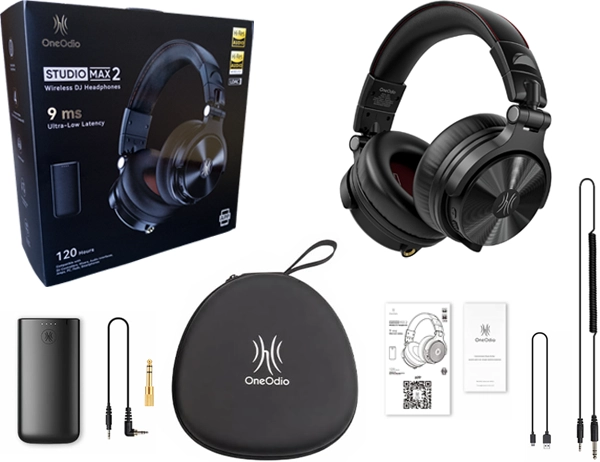 Classic Package
|
The OneOdio Studio Max 2 comes in a large, sturdy box containing only the hard-shell case. The EVA case feels very high-quality to the touch – it’s not a “generic Chinese case,” but something closer to a B&W case, with a very rigid frame, a soft-touch finish that feels pleasant to the touch, and a design that looks quite durable. The interior is lined with a fleece-like material. What immediately catches the eye is the very interesting design of the hidden, seamless zipper closure that secures the case; it gives the case a monolithic appearance, and it becomes immediately clear why the OneOdio official website emphasizes that it is “Premium.”
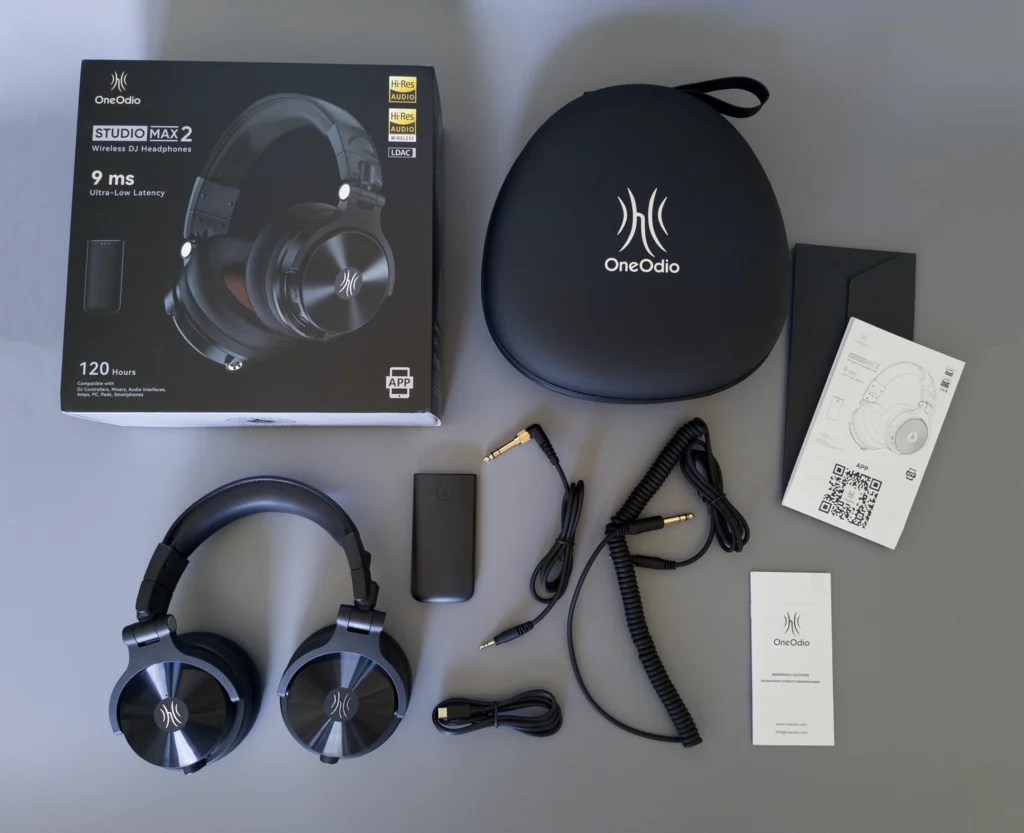
Inside the case are thoughtfully arranged compartments for storing accessories. The company has carefully stocked these compartments with a 1.2-meter straight cable (3.5mm to 3.5mm jack with an adapter to a 6.35mm jack), a 3-meter coiled cable (3.5mm to 6.35mm jack), and a 1-meter USB Type-C charging cable. The multilingual user and safety manuals are neatly packed in a separate envelope inside the box. The concept of having all the necessary accessories and components fit into a single case is great. However, we can’t really call this case travel-friendly. For example, you probably wouldn't be able to carry it as carry-on luggage on a flight. You'd have to check it due to its size. It takes up too much space in your backpack.
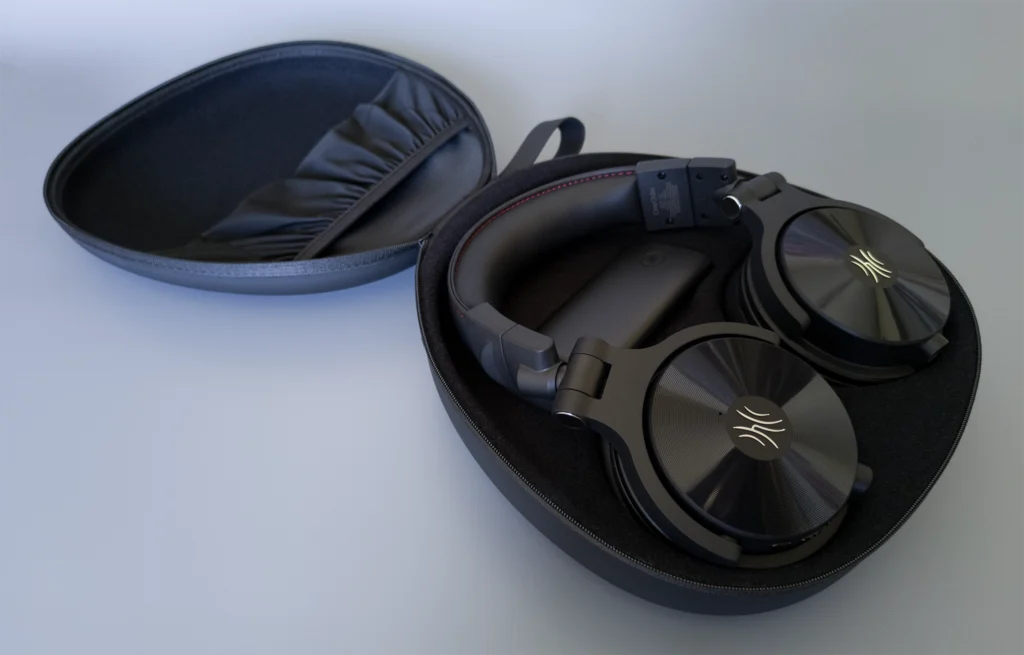
Both the headphones and the M2 transmitter fit snugly into their respective slots. Best of all, it doesn’t matter which earcup goes into which slot. This is because the earcups can rotate a full 180 degrees. The Sennheiser HD 630 headphones, for example, have issues with how the earcups fit into the case compartments. There, you absolutely have to place the left earcup in the left slot. This is a common issue with many manufacturers.
Of the accessories, we liked the straight cable the most, which is more than we can say for the coiled cable, since it isn't convenient. There are too many coils, and they often get in the way during testing. We can’t say the cables are premium; they’re just standard, good-quality ones. However, we won't dwell on cable quality since you can always purchase a premium cable separately. After all, the main selling point of these headphones is their wireless connectivity. The only things missing that we'd like to see in future versions of the OneOdio Studio are additional replacement ear pads and a more compact EVA hard case. Overall, we rate the package and accessories 7.5/10.
The headphones immediately feel flexible once removed from the case, thanks to the ability to rotate the ear cups 180 degrees along two axes. This allows for several ways to position them on your head. When the ear pads are made of faux leather that sticks firmly to the scalp, as in this case, it takes time to find the best fit. However, it's important that they fit comfortably. Despite their weight, the light clamping force allows you to wear them for hours without getting tired. Five people tested these headphones in our SoundGale studio. Two complained of discomfort during prolonged use, while the other three reviewers did not. The only downside is that these ear pads will make your ears and the area around your head feel hot in the summer. It’s also worth noting that you can monitor the audio using just one ear cup by rotating it, a common practice in DJ workflows. It’s great that the OneOdio Studio Max 2 includes this feature, especially since these headphones are marketed as DJ headphones. We won't nitpick too much about ergonomics and functionality; for the most part, we were satisfied.
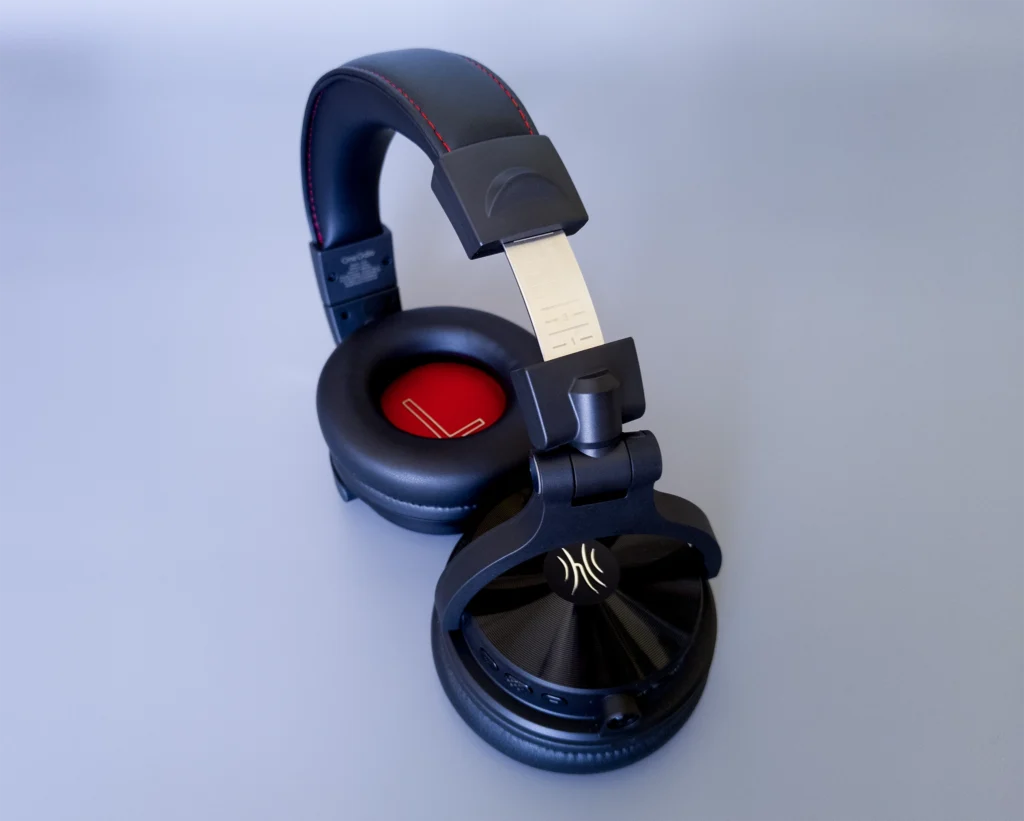
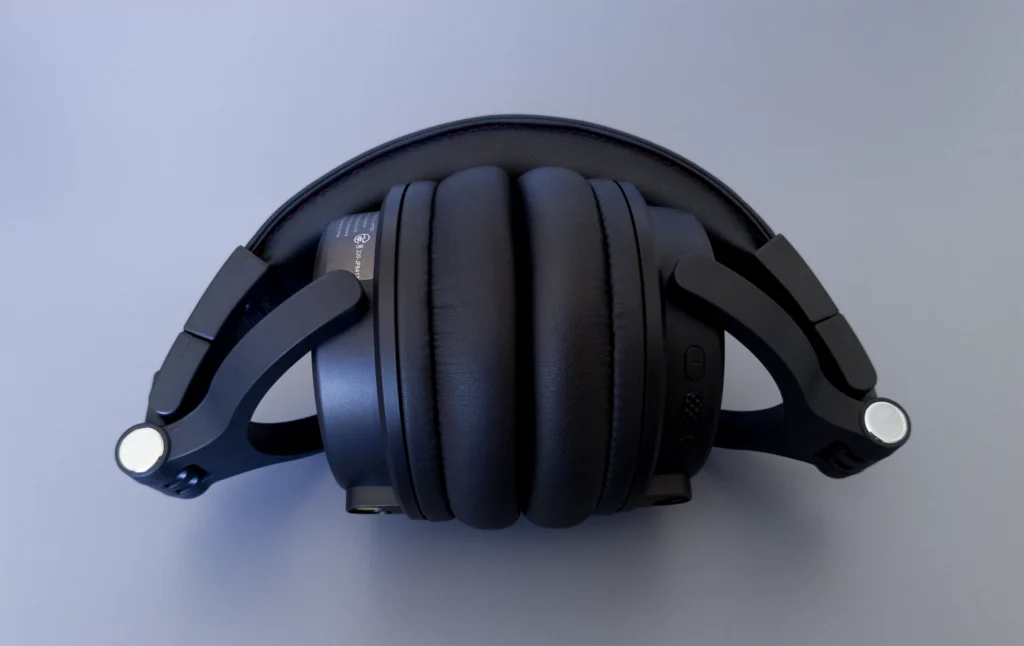
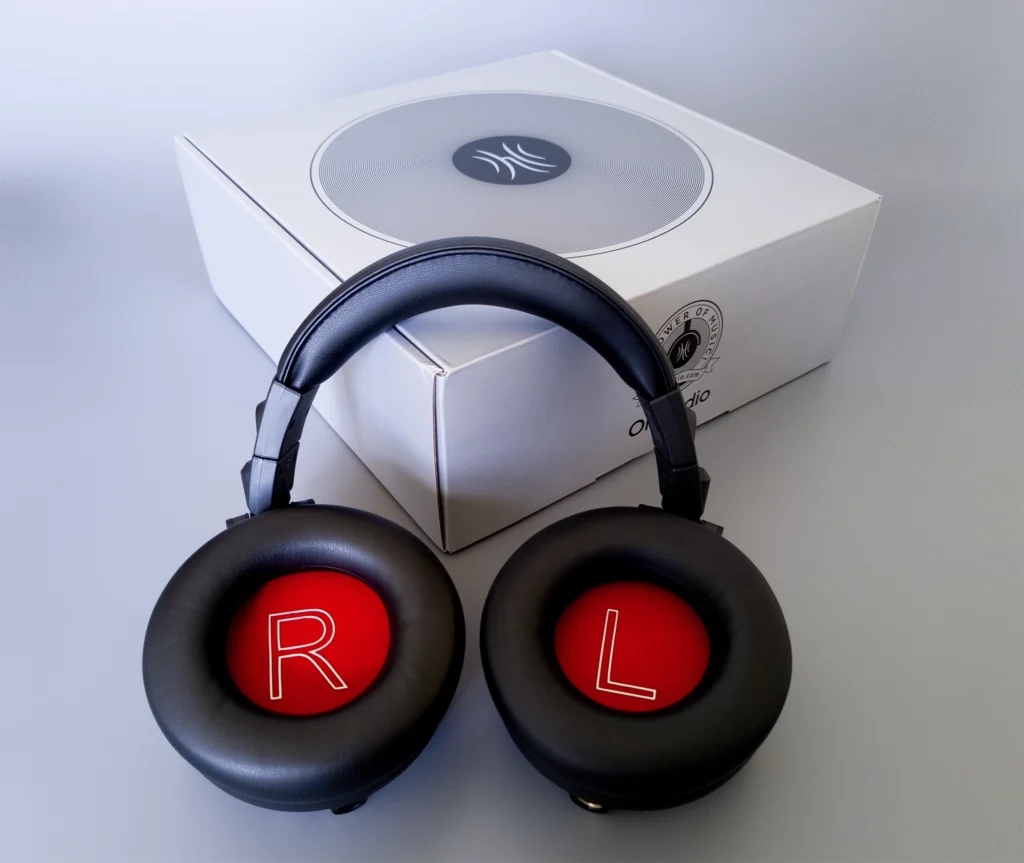
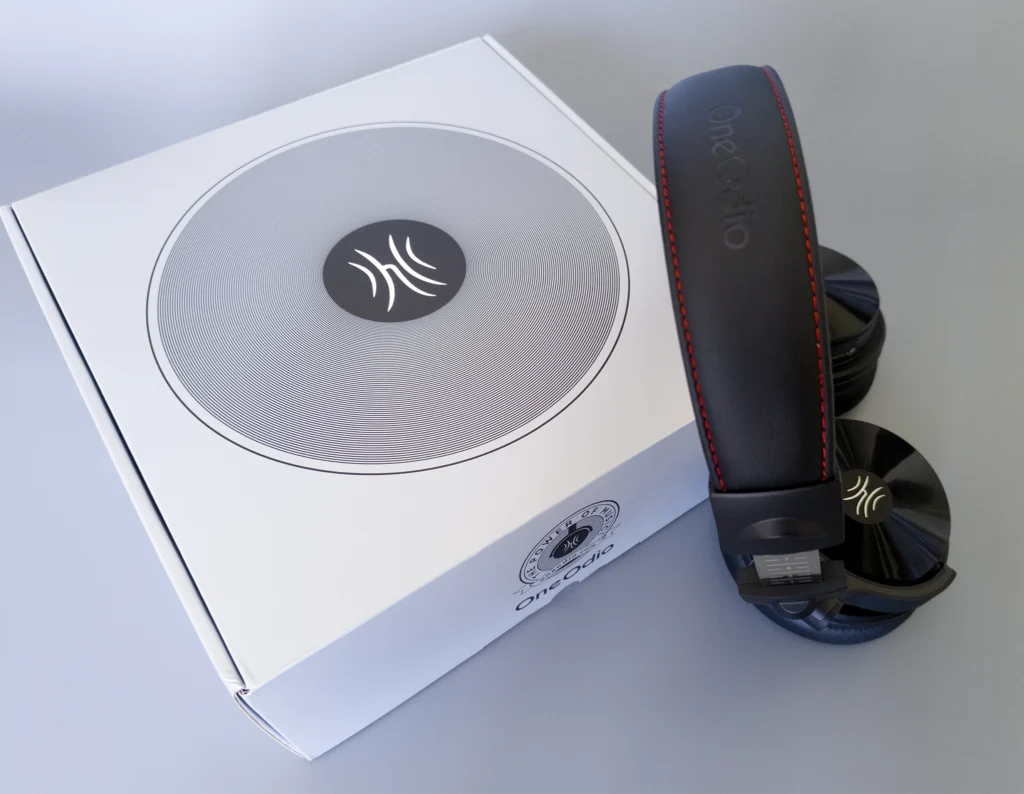
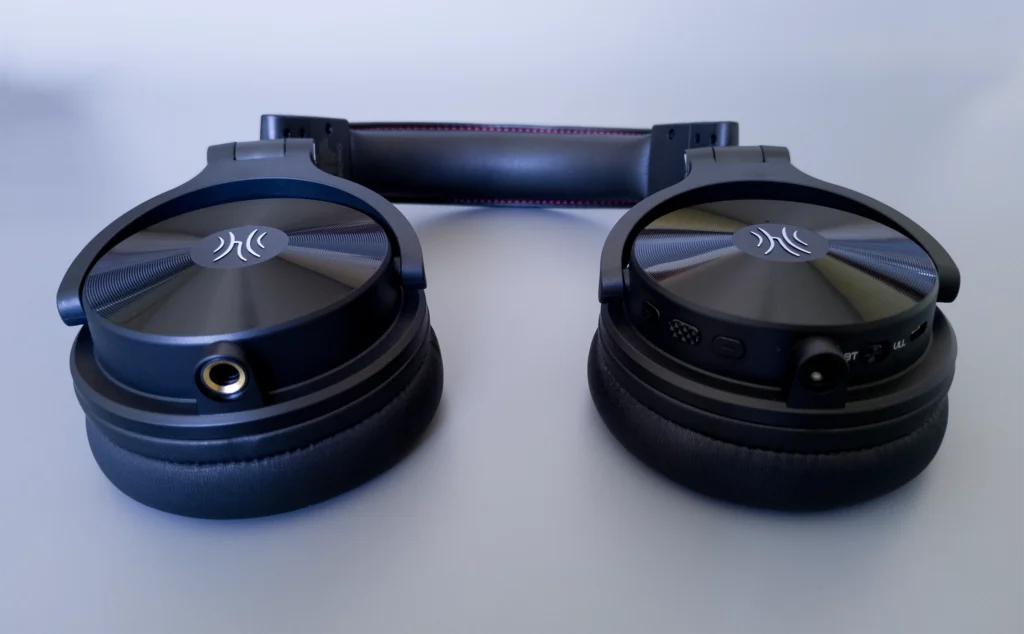
Overall, the materials used for the headphones are pleasant, though not ultra-premium. The faux leather headband features red stitching and an embossed OneOdio logo, giving it a stylish look. The headband padding and earpads are made of the same material. This material is also used in Neumann headphone headbands. The earcups appear to be made of simple plastic. The hinges look well-made, and the headband’s adjustment mechanism feels smooth. It has tactical "click-stops" (detents) along the slider rail, a feature found in about 80% of full-size headphones. However, unlike those models, some of the earcup mounting elements are made of plastic. They’re painted to match the aluminum, so it’s difficult to discern which parts are plastic. Ultimately, though, that doesn't matter. The build quality is obviously very good, and heavier materials would have compromised comfort. As you can see in the image above, the headphones have ten levels of headband adjustment with numbered notches on the metal core of the headband.
Now let’s talk about one of the most interesting features of these headphones, which turns them into a “versatile powerhouse” in terms of connectivity – though not in terms of sound quality, which we’ll discuss later in the “Sound Quality” section of our OneOdio Studio Max 2 review. So, let’s start with the fact that you can connect these headphones in four different ways. The first two methods are wired. The left earcup has a 6.3mm (1/4”) jack connector, and you can connect to the right earcup using a cable with a 3.5mm jack connector. Choose whichever method is most convenient for you! Honestly, we’ve rarely seen this feature in other headphones.
Next, let's discuss the wireless modes. The OneOdio Studio Max 2 offers two modes: a standard Bluetooth 6.0 connection and Ultra Low Latency (ULL) mode via the M2 transmitter. The right earcup has controls for adjusting the volume, turning the headphones on and off, and connecting via Bluetooth. There’s also a switch for the two wireless modes. When set to "BT" (which stands for Bluetooth), it is in standard Bluetooth mode. Just pair them with your phone or other device, and you can listen to music – it’s that simple. During testing, we didn’t encounter any issues with the Bluetooth connection. The headphones quickly connected to various devices and easily appeared in the Bluetooth device lists on our smartphones.
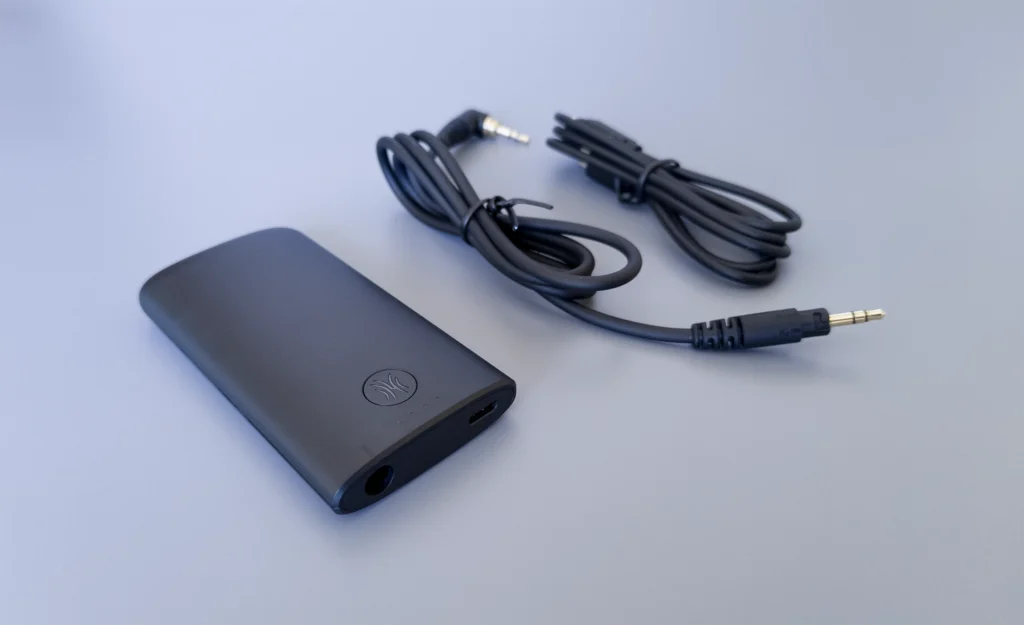
Switching to ULL stands for Ultra Low Latency mode. This is one of the awesome features of the OneOdio Studio Max 2 headphones. Switching to ULL gives you access to the third generation of RapidWill+ 3.0 technology. This gives you an ultra-low latency of nine milliseconds when using the M2 transmitter with your headphones. Your Studio Max 2 headphones come with this transmitter, which you can hook up to your device to transmit to your headphones with an ultra-low latency of 9 milliseconds. This is important if you're using the headphones for monitoring, mixing, or gaming. If you want to use the headphones in the studio to monitor while mixing your DJ set, 9 milliseconds is quite low, and it should be low enough not to cause any problems with latency. More importantly, if you're using them to DJ in a live setting, the low latency is extremely fast. When you twist knobs or adjust things, you'll hear the changes pretty much instantly, which will give you a great feel and response while performing. This is a huge step up from the OneOdio Studio Max 1. The Ultra Low Latency was 20 milliseconds, which was impressive, but the new model has cut the time in half, which is absolutely crazy!
There are a couple of ways you can use this M2 transmitter. As mentioned in the "Box and Package" section, your headphones come with a straight cable. This cable is actually for use with your M2. You take that 3.5mm jack, hook it into the M2 transmitter, and then this is where you would plug into your device's output (DJ controllers/instruments, mixers, consoles, amplifiers, guitar amps, electronic drums, digital pianos, etc.). So if you're plugging it straight into a phone, maybe you plug it into a headphone out on your computer, anything like that. This will feed sound into the M2, which will then transmit it to your headphones. Another great feature is that you can connect it via USB-C and plug it directly into your PC or laptop to use it as an output sound device. This allows you to transmit sound directly from your computer to your Studio Max 2 headphones. However, if you prefer to be corded and have no latency, you still have the option because they give you a headphone jack to plug in, and you can still use a cable with these headphones if desired.
A few words about battery life: We were impressed by the OneOdio Studio Max 2's 120-hour playback time on a single charge in Bluetooth mode. While there may be some margin of error, this claim is generally pretty accurate, with some nuances. We tested the headphones for a week at 70–80% volume and could not drain the battery completely. Considering that we were constantly switching connection modes, adjusting the equalizer settings, testing the microphone, and pressing the volume buttons to check all the features, these are among the wireless headphones with the longest battery life that we’ve reviewed. Additionally, there’s a fast-charging option: a five-minute charge provides nine hours of operating time. However, when connected in ULL mode, the battery life is cut in half to 60 hours. It’s also worth noting that the M2 transmitter’s battery lasts for 50 hours. Overall, these are excellent battery life figures—among the best for wireless headphones! Below, we’ll list some extra features worth mentioning in our review of the OneOdio Studio Max 2.
|
Good Deal on OneOdio Studio Max 2
For more information about the Studio Max 2 wireless headphones, visit the product page on the official OneOdio.com website. 15% Off Discount Code: SOUNDGALE |
Classic Package
|
Before moving on to the smartphone app, we'll say a few words about the microphone. Based on our review and testing of the OneOdio Studio Max 2 headphones, we found the microphone to be quite good. We rate it slightly above average. In a quiet room, the person on the other end of the line could hear us perfectly – sometimes even better than through a smartphone’s microphone. It’s worth noting that the headphones feature environmental noise cancellation (ENC) during phone calls, as evidenced by the two microphones in the right earcup. One microphone is for voice transmission, and the second is for ENC technology. You can see the microphone slot on the outside of the right earcup. But it's not all rosy. The ENC struggles with strong, gusty winds and noisy streets, and all of that ends up in the microphone.
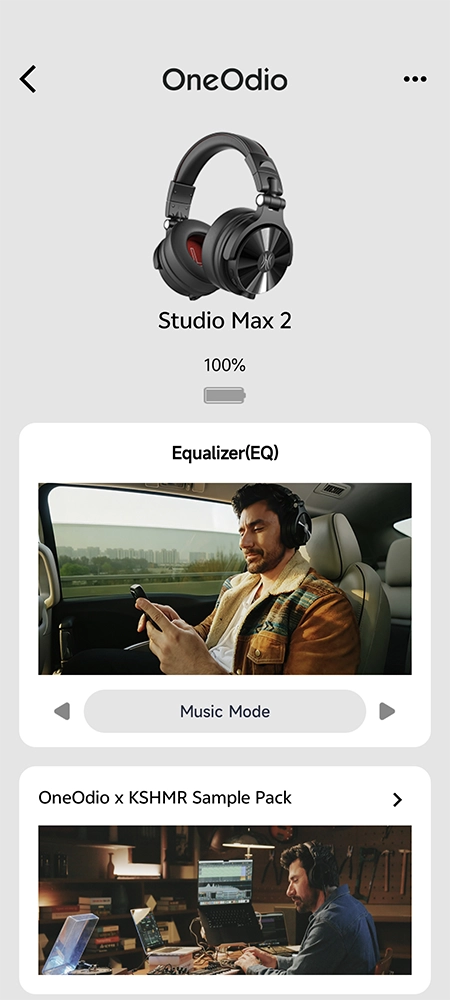
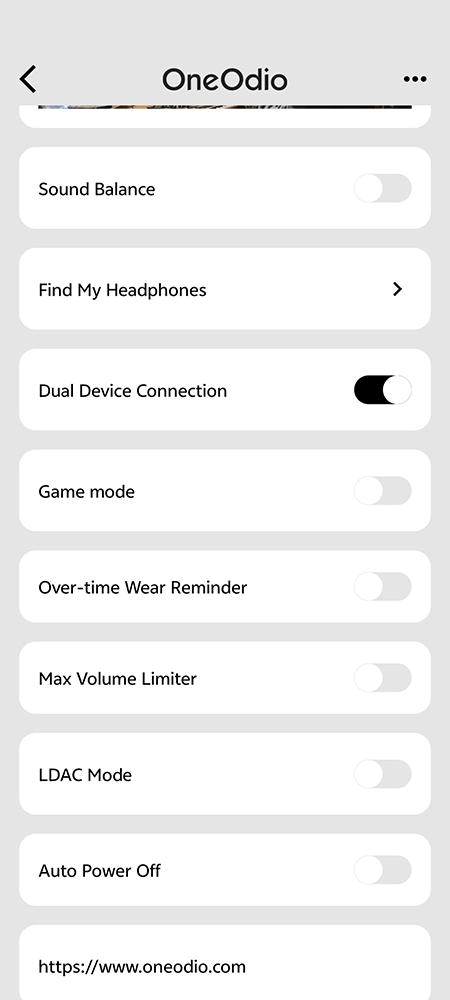

We liked the app because it’s minimalist. You can download it from Google Play or the App Store, or scan the QR code in the manual that came with your headphones. Many people complain that the app has few features, but as we said, its minimalism is exactly what makes it great! Everything you need is right there. Right after installing the app and connecting the headphones, a pop-up notification asked me to update the firmware. It was quick and easy. Now, let’s take a look at the main sections: Equalizer (EQ), Sound Balance (left and right channel adjustment), Find My Headphones, Dual Device Connection, Game Mode, Over-time Wear Reminder, Max Volume Limiter, LDAC Mode (Dual Device Connection is not available in this mode), and Auto Power Off. To top it all off, there’s the OneOdio x KSHMR Sample Pack. It consists of the following categories: Drum Loops, FX, Synths, Drums, Instruments, and Vocals. Each sample can be downloaded separately. The settings are minimalist and simple.
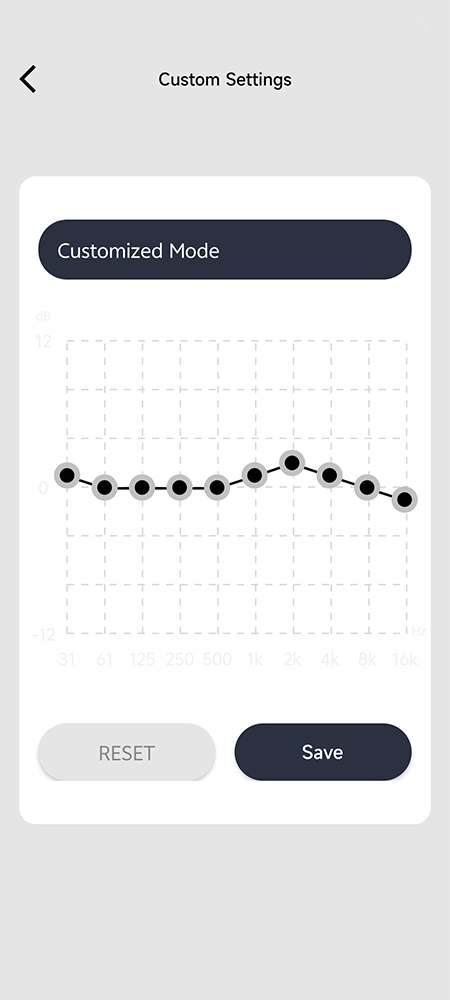
The equalizer settings deserve a special mention. There are five of them: Music Mode, Bass Mode, Monitoring Mode, EQ tuning by KSHMR, and Customized Mode. Customized Mode is a 10-band equalizer that you can adjust to your liking. Most notably, you can switch between these modes directly on the headphones by double-tapping the on/off button, even without the app. Once you set up the Customized Mode EQ according to your preferences and press the “Save” button in the app, the headphones will automatically load your saved preset. You can even delete the app, and your custom preset will still be saved. It works on the same principle as the built-in DSP presets stored in the headphones’ memory.
So, we've reached the most important section of our OneOdio Studio Max 2, and now we'll talk about the most crucial aspect in headphones – the sound. Let's address this upfront: Don't expect a "wow" factor from the sound quality of these headphones. It's high-quality (LDAC, Hi-Res Audio - all aboard), but not on par with audiophile or flagship wireless models. Unfortunately, we won’t describe the sound quality in great detail, but we’ll share our impressions. We tested the headphones in both wireless and wired modes. In wireless mode, we used the built-in EQ modes-presets. In wired mode, we connected the headphones to an audio interface with a reference-grade amplification and signal-processing chip. We'd also like to note that the OneOdio Studio Max 2 headphones have ample volume. Personally, I listened to music at about 70% volume. Let's start with the EQ presets in wireless operating modes.
Music Mode is a well-balanced setting for listening to music and everyday multimedia applications. It produces a very pleasant and high-quality sound across most genres, such as pop, rap, drum and bass, soul, indie rock, ambient, techno, and all subgenres of electronic dance music (EDM). The midrange is clear, and the low frequencies are well-defined without being overemphasized. The soundstage is present but weak, which is normal for headphones in this price range. However, there’s too much treble, and the transients are overly extended and oversaturated, which makes listening to heavy rock genres like metal, post-hardcore, and metalcore unbearable. The overdriven, heavy guitar sound turns into a muddle that completely drowns out the rest of the frequency range. In short, you won't enjoy listening to Linkin Park on these headphones. However, this absolutely does not apply to the other genres we’ve listed.
Bass Mode is enjoyable. The mids are slightly muted, but we get very pleasant, enveloping low frequencies in return. It’s a unique sound. I can’t find the words to describe it, but I'll use an analogy. It's like a car driving past you with the windows rolled down, and the volume cranked up so high that the windows in your house are shaking. That’s what bass mode sounds like!
Monitoring Mode is a great feature, especially for DJs performing at events, bars, small festivals, or clubs. While the sound signature isn’t the most pleasant, it’s clear enough to allow you to mix and extract all the information from the track, including the drum section and the midrange. It's important to note that monitoring mode is not intended for professional sound engineering or audio mastering. Yes, you can use them when composing a track, especially once you get used to how they sound and understand all the nuances.
SoundGale CEO CommentI worked as a full-time DJ for about a year or two in the past, playing five-hour sets at bars and top clubs in my city every Thursday, Friday, and Saturday. To be honest, I have plenty of experience to draw on, since I’ve DJed with a wide variety of headphones. When we received the OneOdio Studio 2 for review, I had the opportunity to DJ for my friends at an outdoor event with an attendance limit of 100 people. I switched to Monitoring mode and easily played a two-hour set. I was 100% satisfied with the sound quality, and the sound signature was clear and audible for live mixing. The only drawback is that they’re bulkier than the AlphaTheta HDJ-F10, despite weighing about the same.
This is where things get really interesting: Tuned by KSHMR Mode. KSHMR fans, get ready! In this mode, most tracks sound worse than in classic Music mode. I decided to give KSHMR's tracks a listen in this mode, and lo and behold! They're perfectly tuned to his style. Overall, all the big room house and EDM festival anthems sound amazing in this mode. So, if you like big room house, Tuned by KSHMR Mode is the way to go!
Customized Mode – there’s nothing more to say here; just adjust the equalizer however you like.
Wired Connection – this can be compared to a wireless “flat EQ” mode, where none of the frequencies are boosted. After listening to these headphones via a wired connection, this is the conclusion we reached regarding the sound signature of the OneOdio Studio Max 2. The picture is ambiguous. The midrange isn't a strong point of these headphones. Vocals and instruments often end up slightly behind the bass and treble. Just like with V-shaped headphones (with boosted bass and treble). This is acceptable for casual listening but not for music production or evaluating mix balance because this sound signature is far from neutral. The highs are very bright and aggressive. While this helps you hear details while DJing or working in noisy environments, listeners sensitive to high frequencies may find the sound harsh and tiring. As we found, detail and soundstage depend on the track itself. In some genres, there’s good instrument separation and acceptable positioning. In tracks with electric guitars and a huge number of effects, instruments, and audio tracks, however, the soundstage is weak, and instrument separation is insufficient.
Here’s an interesting fact: Before writing our OneOdio Studio Max 2 review, we read and watched tons of reviews across virtually every platform. Interestingly, opinions on sound quality are mixed – some people love the sound, while others don’t. We liked the sound, but we ultimately concluded that these headphones are best suited for DJs. However, they'll also greatly enhance your everyday multimedia experience.
Finally, we've reached the end of our OneOdio Studio Max 2 review, so it's time to summarize the results. The OneOdio Studio Max 2 is best viewed as a specialist tool rather than a traditional pair of premium wireless headphones. If your priority is ultra-low-latency wireless monitoring for DJing, instruments, content creation, or gaming, it offers impressive functionality for the price. However, if your main goal is high-fidelity music listening or professional mixing accuracy, there are stronger options available in the same price range. Overall, it earns praise for innovation, battery life, and versatility, but falls short of being a true studio-reference headphone. Our SoundGale editorial team had a very enjoyable experience using this model of headphones – we listened to music for hours, played online games with them, and even DJed at a small open-air event – and we were very pleased!
Who should consider buying the OneOdio Studio Max 2? If you’re a full-time DJ who doesn't want to spend over $500 on the AlphaTheta HDJ-F10 and needs a reliable pair of headphones with versatile connectivity options and excellent battery life in wireless mode, this is the one for you. You can buy it with confidence (there are practically no comparable products on the market in terms of price-performance ratio at the moment); the headphones' features are truly impressive. However, if you’re an artist or performer who plays sets at major events and sound quality is important to you, the AlphaTheta HDJ-F10 is a better choice – but keep in mind that it's more expensive. While the AlphaTheta HDJ-F10 does outperform the OneOdio Studio Max 2 in sound quality, the Studio Max 2 is in no way inferior. In fact, it significantly outperforms the HDJ-F10 in terms of functionality.
We hope you enjoyed our review of the OneOdio Studio Max 2 wireless DJ headphones. Please feel free to leave your comments, questions, and suggestions in the section below. We will be happy to answer them all as soon as possible. If you already own a Studio Max 2 and have used it for a while, don't forget to share your impressions and tell us what you liked or disliked about these headphones.
Pros
|
Cons
|
8.1
/10
Our Score
|